sga88 Casino Mobile App
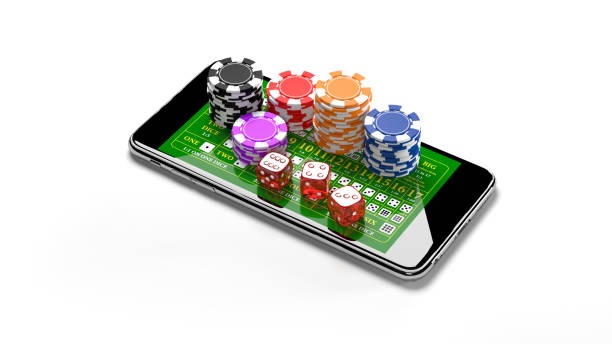
We at sga88 deliver live-dealer tables, football markets, and slot games directly to your mobile device via a lightweight web app — no app store download required. Open sga88 in any browser on Android or iOS, and you have instant access to blackjack, roulette, baccarat, Dragon Tiger, Liga 1 fixtures, and Aviator slots from anywhere with an internet connection.
- DownloadAPK
- Update
- StartFirst Game
- and
Mobile-first design means our sga88 platform adapts to your screen size in real time. Whether you use a phone in Jakarta, Surabaya, or Bandung, the interface scales intelligently, streaming live-dealer video at standard definition or HD depending on your connection speed. You retain a single unified wallet across all game categories — no separate app downloads, no fragmented accounts, no tedious transfers between sub-wallets.
Our mobile experience prioritises speed and reliability. sga88 caches key gameplay elements locally so tables load faster on subsequent visits. Push notifications alert you to live-game updates, upcoming Liga 1 matches, and promotional offers. Support for DANA, e-wallet, mobile banking, and other e-wallets means deposits and withdrawals happen on your phone without navigating to a desktop browser.
How to access sga88 on mobile
sga88 offers three ways to play on a mobile device: (1) open our website in your phone's web browser, (2) download our Android APK file directly, or (3) add sga88 to your home screen as a web app on iOS. Each path delivers the same game library, account balance, and payment options — choose the method that suits your device and comfort level.
Open sga88.app in Safari, Chrome, or Firefox on any iOS or Android phone.
Download our standalone APK file for faster loading and offline table caching.
Save sga88 to your iPhone home screen for one-tap access from Safari.

Installation walkthrough
-
Download the sga88 app or open our website
Visit sga88.app in your phone's web browser, or download the Android APK file if you prefer offline caching and faster startup.
-
Create your sga88 account
Tap "Open an account", enter your username, email, password, and mobile number. Verify your email via the confirmation link we send.
-
Complete identity verification (KYC)
Upload a government-issued ID and optionally an address document. Verification typically completes within 1–2 hours on business days.
-
Make a deposit and start playing
Choose DANA, e-wallet, mobile banking, local payment, online payment, e-wallet, or a bank virtual account. Your balance appears immediately. Browse sportsbook, live dealers, or slots.
sga88 app vs. mobile web browser
Both the native sga88 app (Android APK) and the mobile web version deliver the same game library and account access. However, they differ in performance and convenience. Our Android app includes offline caching for table graphics and game rules, so blackjack and roulette load noticeably faster on repeat visits. The app also supports push notifications, which alert you when a live-dealer table opens or when a Liga 1 match starts. If you prefer maximum convenience and do not want to manage separate app files, the web browser version requires no installation — simply bookmark sga88.app and play from there. Both paths stream live video at your chosen quality (standard or HD) and support all eight payment methods (DANA, e-wallet, mobile banking, local payment, online payment, e-wallet, and bank accounts).
Device compatibility on sga88
sga88 supports Android 7.0 and later, as well as iOS 12.0 and later. Most phones from the last five years meet these requirements. If you use an older device, check your operating system version before downloading the APK or opening the web app. Tablets (iPad, Samsung Galaxy Tab) are fully supported; the interface scales smoothly to larger screens, making live-dealer video and sportsbook markets easier to read.
Troubleshooting common installation issues
On Android, if you see a warning about "unknown sources", this is normal for APK files downloaded directly. Go to Settings → Security → Unknown Sources and enable the toggle. Your phone will then allow the sga88 APK to install. On iOS, you may see a certificate trust prompt — tap "Trust" to proceed. If sga88 does not load in your browser, clear your cookies and cache, then refresh the page. On slower connections (2G, weak 3G), live-dealer video may buffer; switch to standard definition in the settings menu to improve stream stability.

Data, permissions, and account security on sga88
When you open sga88 on your phone, we request permission to access your location (for geolocation verification), camera (for photo ID upload during KYC), and contacts (optional, to speed up account recovery). You can deny these permissions, and sga88 will still function — though KYC verification by camera will require you to upload files manually. All communication between your phone and our sga88 servers is encrypted using industry-standard HTTPS. Your account balance and transaction history are encrypted at rest on our servers. We do not store your password in plain text; we hash it using strong algorithms. If you suspect unauthorized access to your sga88 account, change your password immediately and contact our support team via the Help page.
- APK file signature
- Our Android APK is cryptographically signed to prevent tampering. Install only from sga88.app; never download APKs from third-party sources.
- Session timeout
- If you are inactive for subject to verification, sga88 logs you out automatically for security. Log back in with your username and password.
- Data retention
- We retain your account data and transaction history for at least 7 years to comply with anti-money-laundering regulations.
- Two-factor authentication
- sga88 supports optional two-factor authentication via SMS or authenticator app. Enable it in your account settings for extra security.
Getting the most out of sga88 on mobile
To maximise your sga88 experience, enable notifications so you receive alerts about live-dealer table openings and upcoming Liga 1 or Piala AFF matches. If you use the Android APK, enable automatic updates so you always have the latest version with bug fixes and new game releases. On iOS, bookmark sga88 in Safari and add it to your home screen — this creates a shortcut that loads faster than navigating through your browser each time. Keep your phone's operating system updated; sga88 works best on the latest Android and iOS versions.
Our mobile platform is accessible only where local law permits online gaming. Before opening an account, verify that your jurisdiction permits access to online wagering platforms. If you are unsure about the legal status in your region, consult local government resources or a qualified legal professional. sga88 does not offer its services in jurisdictions where online gaming is prohibited.
If you encounter problems downloading the APK, logging in, or playing on mobile, contact sga88 support via the Help page on sga88.app. Our team can troubleshoot connection issues, account lockouts, and payment verification delays. We respond to inquiries during standard business hours.